Instructions
Instructions, as they are used here, are a way to make the directives given to annotators simple and reusable. When an Annotator opens an AnnotationTask, the first thing they see is a pop-up containing the Instructions selected when creating the AnnotationTask.
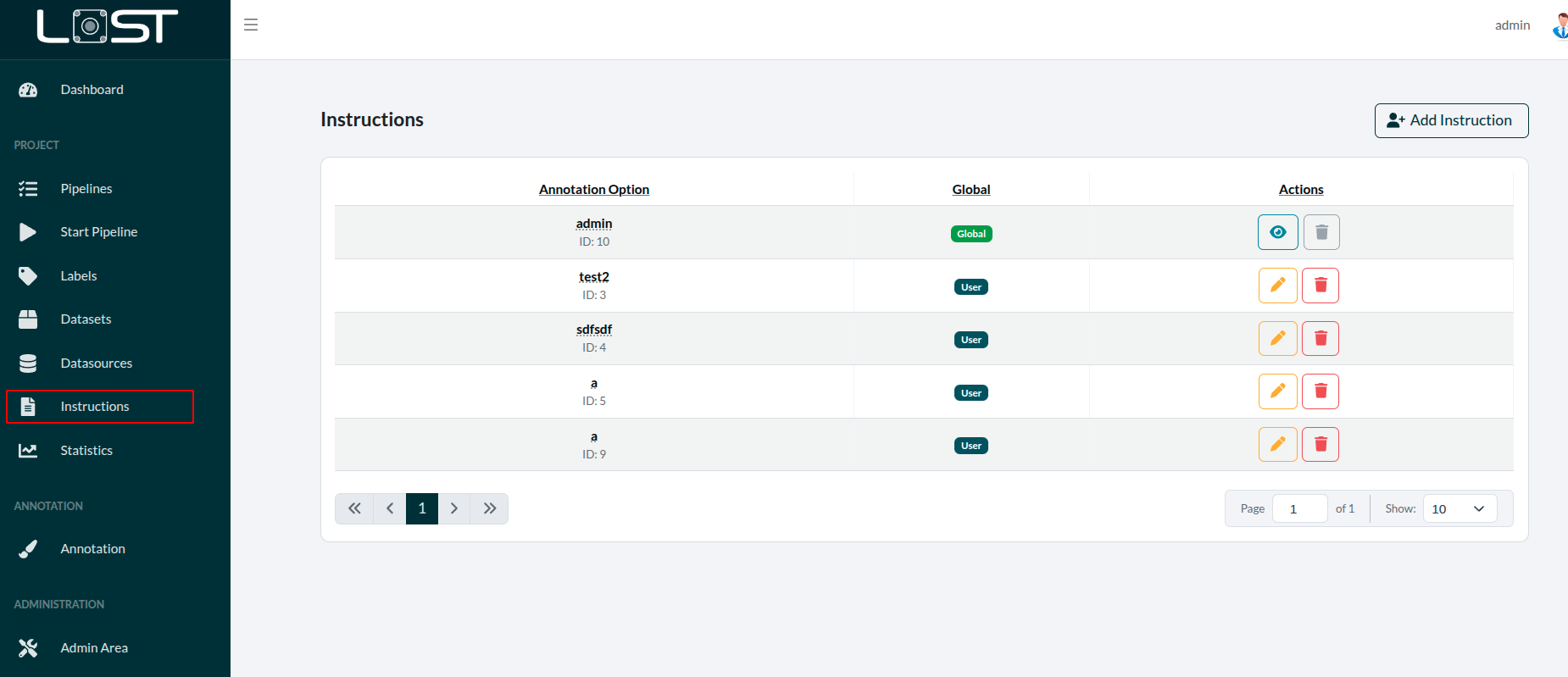 Figure 1: The table to manage all created instructions
To create new Instructions, to to the *Instructions tab (seen in Figure 1) and, above the table, click on the "Create Instruction" button. There you have to fill out three fields you can see in Figure 2:
- Title
- the name of the Instruction
- Description
- a short description of the Instruction, one can see in the table
- Content
- the actual instructions the Annotator sees
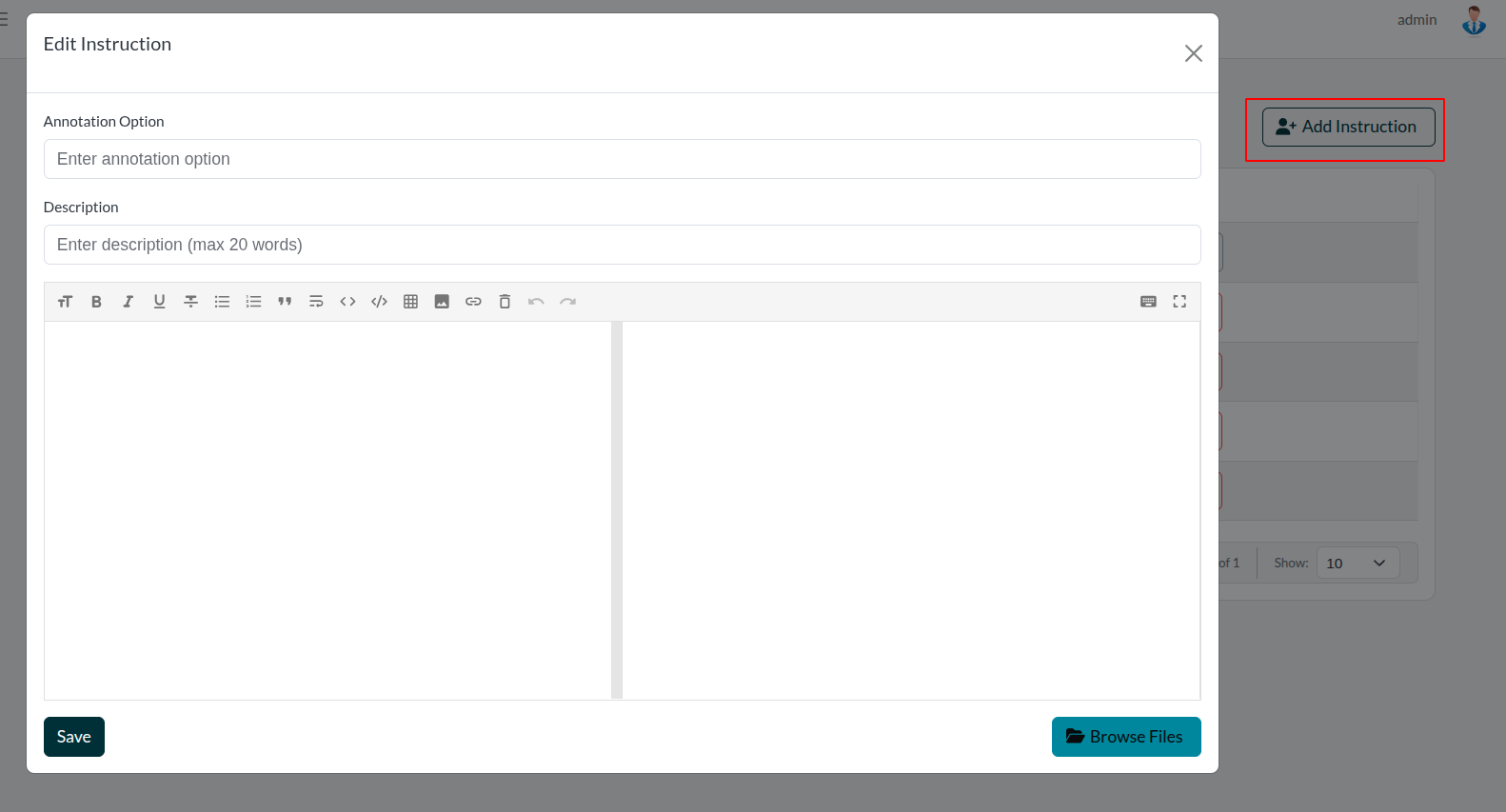 Figure 2: Window with which instructions are created
Futhermore, the right window will give a preview of how the content is displayed for the user, as you can use markdown- language there, to style and adapt the Instructions.
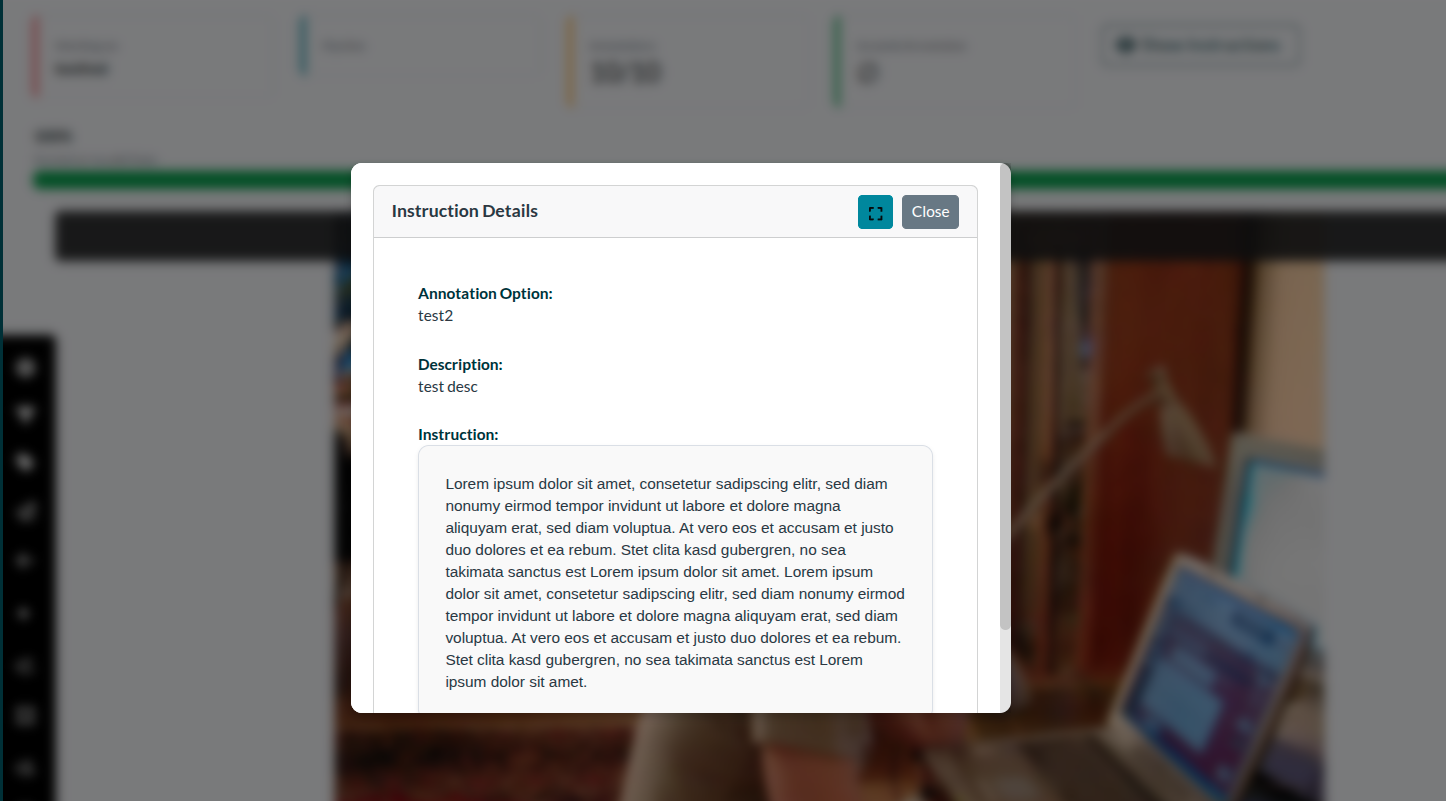 Figure 3: How the instruction is presented, when an
annotator starts a task
Figure 3: How the instruction is presented, when an
annotator starts a task