Datasets
Datasets are a way to organize and bundle AnnotationTasks in a simple way, accessible for admins and designers. They allow for a hierarchical, where AnnotationTasks do not only belong to a Dataset, but that Dataset itself can have another Dataset as a parent.
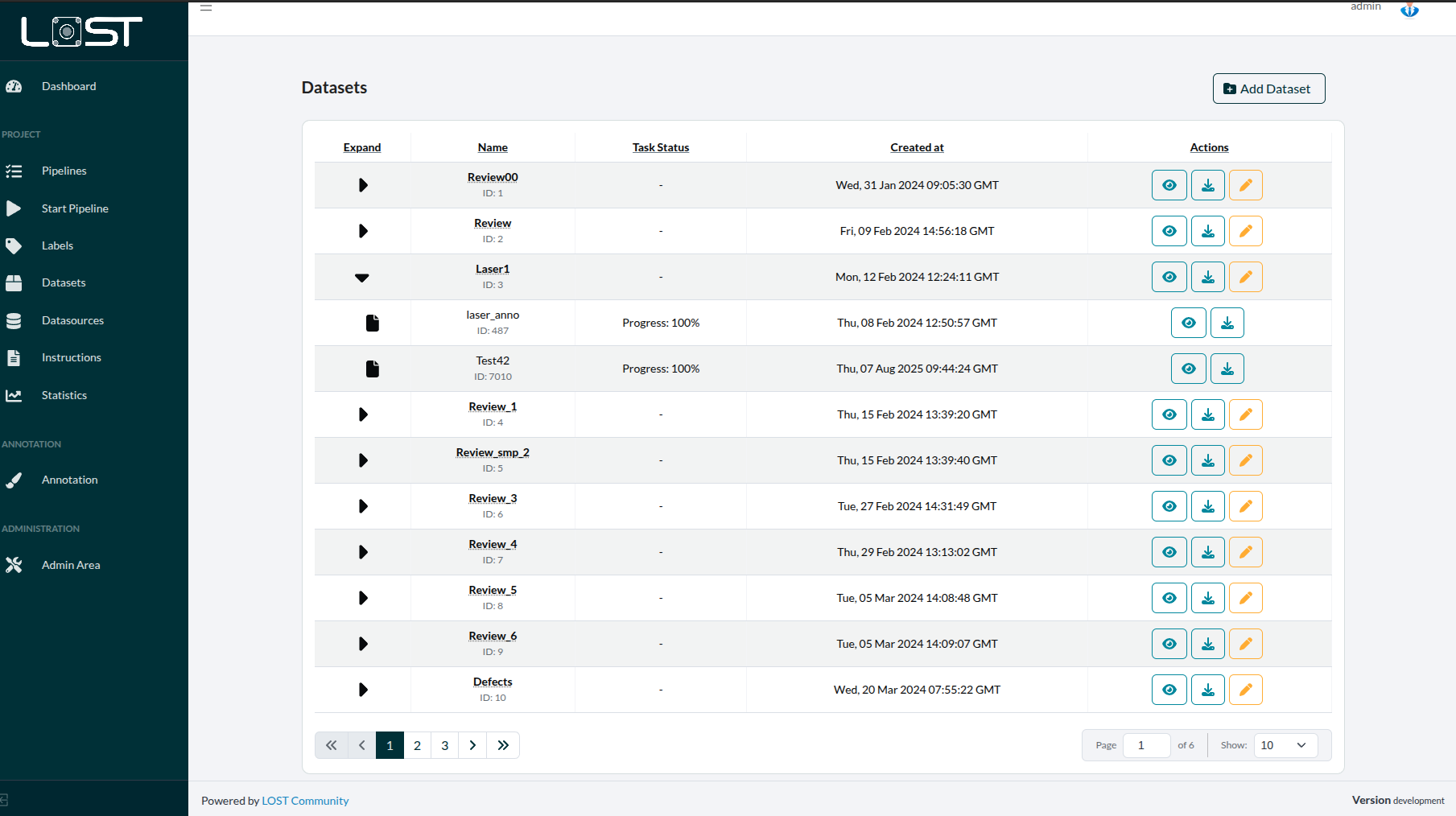 Figure 1: The DatasetsTab, listing all parent Datasets
Assigning a Dataset
When creating an AnnotationTask, one of the specification tabs is there to immediately assing the task to a Dataset.
When using the API to create a AnnotationTask, the same can be done there.
For this, the json-file specifying the pipeline must set the ID of the Dataset like this:
"storage": {datasetId: <Dataset-ID>}
The Dataset-ID can be found right in the DatasetTable, as it is written, right under the name of each Dataset.
Later on, these designations can still be changed in the DatasetTable. For this, see Figure 2.
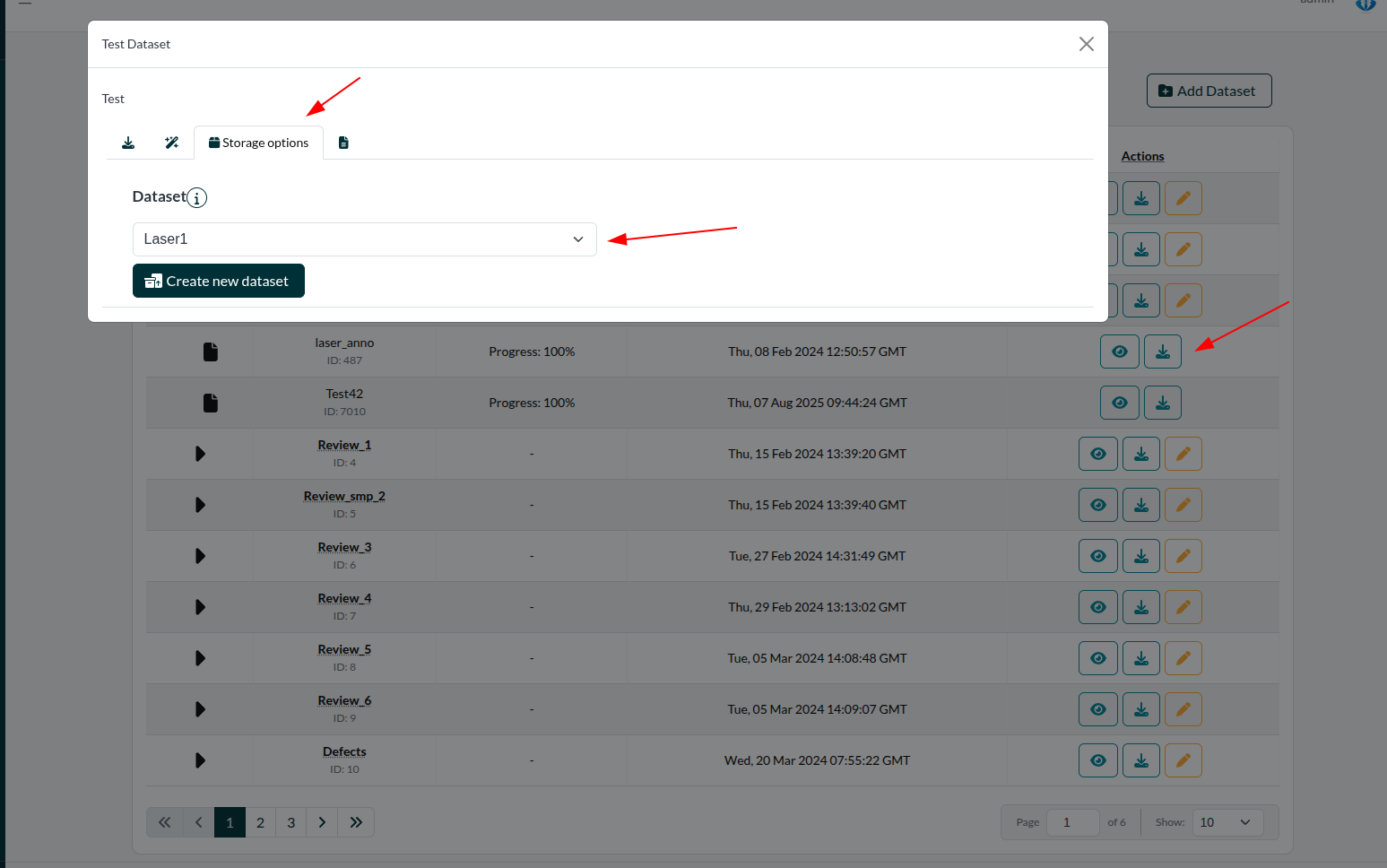 Figure 2: Changing the parent of an AnnotationTask or Dataset
Data Export
Among the main advantages Datasets provide, is the possibility to export the data of all AnnotationTasks belonging to it at once.
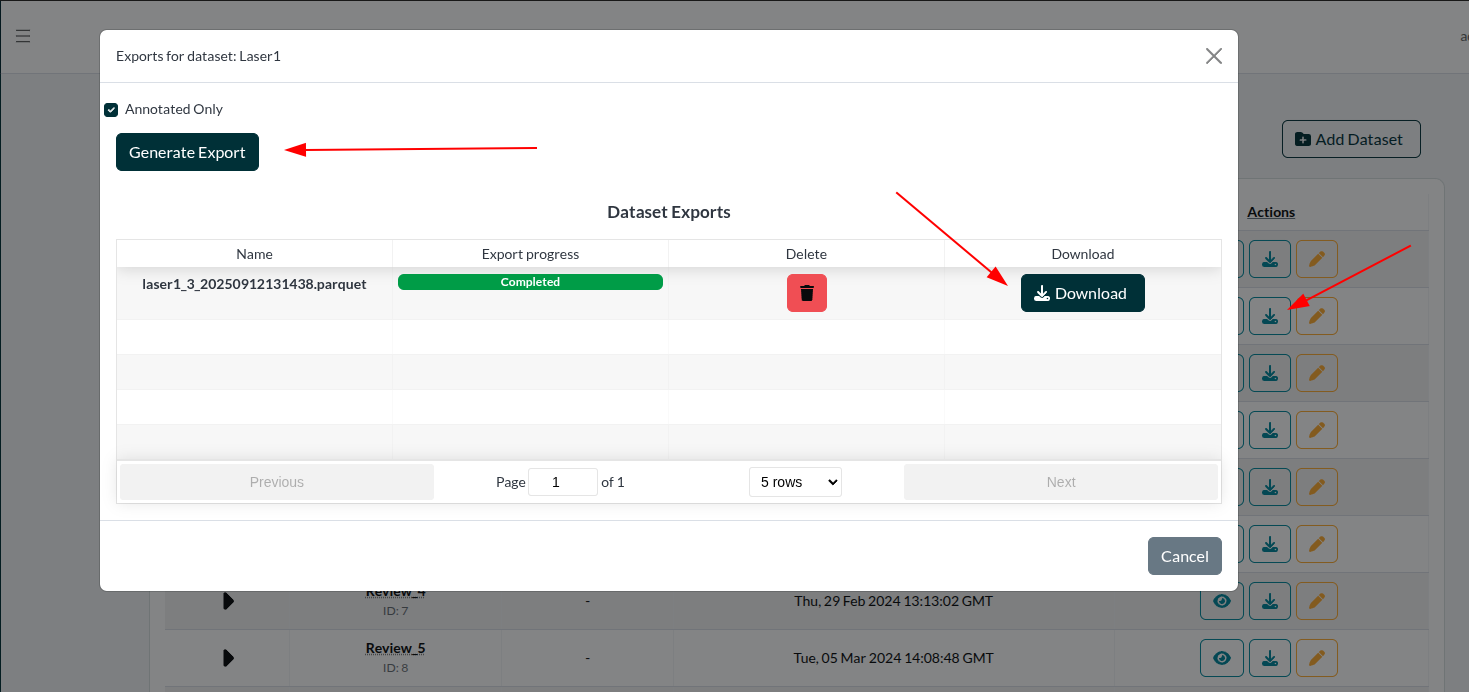 Figure 3: Generating and downloading an export
When exporting (see Figure 3), there is the option to either . Upon clicking "Download", the download will start and you will get the data bundled in a .parquet-file, readable as a LOST-Dataset.
Review
Also, Tasks bundled in a Dataset can be reviewed together, building "one big task" the reviewer can click through and search for specific images.
For more on how to review and special functionality within this feature, please refer to the general review documentation here